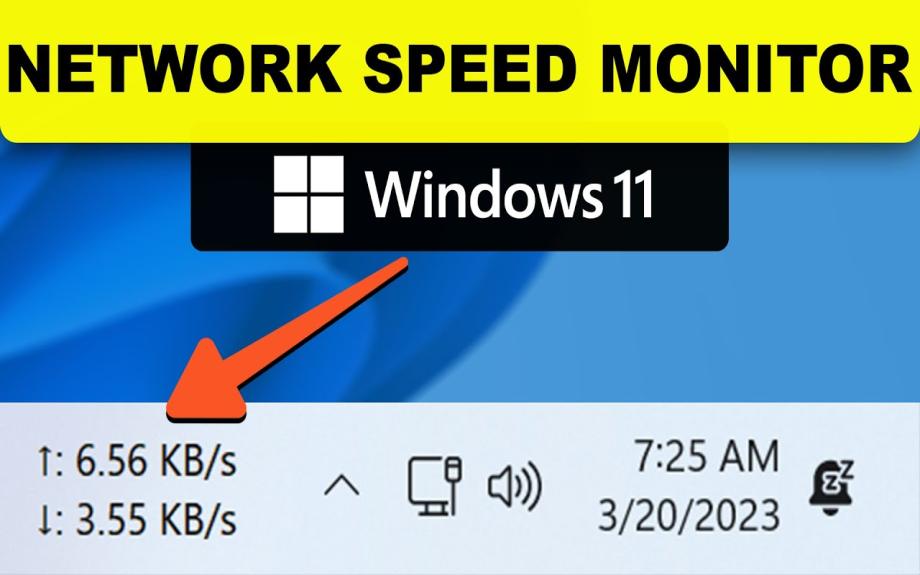
Internet Speed Meter on Windows 11
TrafficMonitor Introduction
TrafficMonitor is a lightweight network monitoring tool for the Windows platform.
It displays the current network upload/download speed, CPU usage, and memory usage.
The tool supports taskbar embedding, skin customization, traffic statistics, and various hardware monitoring features.
Download Links
-
Download the latest version of TrafficMonitor (GitHub Release)
-
Backup download (Baidu Netdisk)
Extraction code: ou0m -
Gitee mirror (recommended for users in China if GitHub is slow)
-
Frequently Asked Questions (FAQ)
-
Download pre-release builds
If the program shows errors like *“MSVC.dll not found”**, please install the:
Microsoft Visual C++ Redistributable Packages
Version Information
TrafficMonitor provides two versions: Standard and Lite.
| Feature | Standard | Lite |
|---|---|---|
| Network speed monitor | ✔ | ✔ |
| CPU & memory usage | ✔ | ✔ |
| Temperature monitoring (CPU/GPU/HDD/Motherboard) | ✔ | ❌ |
| CPU frequency monitor | ✔ | ✔ |
| GPU usage monitor | ✔ | ❌ |
| Hard disk usage monitor | ✔ | ❌ |
| Detailed network information | ✔ | ✔ |
| Plugin system | ✔ | ✔ |
| Skin customization | ✔ | ✔ |
| Admin privileges required | Yes | No |
Recommendation
-
If you do not need hardware temperature/usage monitoring, the Lite version is recommended.
-
Temperature monitoring is available in the Standard version starting from version 1.80.
Key Features
-
Real-time upload/download speed display
-
CPU and memory usage monitoring
-
Automatic or manual selection of network adapters
-
Detailed network information view
-
Taskbar embedded display
-
Customizable skins
-
Traffic statistics
-
Hardware monitoring (Standard version only)
-
Plugin system support
User Guide
For detailed documentation, please visit the TrafficMonitor Wiki.
If you want, I can also provide:
✔ A more concise version
✔ A version formatted for GitHub README
✔ A marketing-style description
✔ A Bengali translation
Just tell me!
Share Now
| Total Download | (2) |
|---|